

Best Temp Mail Browser Extension (2026): Instant Disposable Email for Chrome, Edge & Firefox
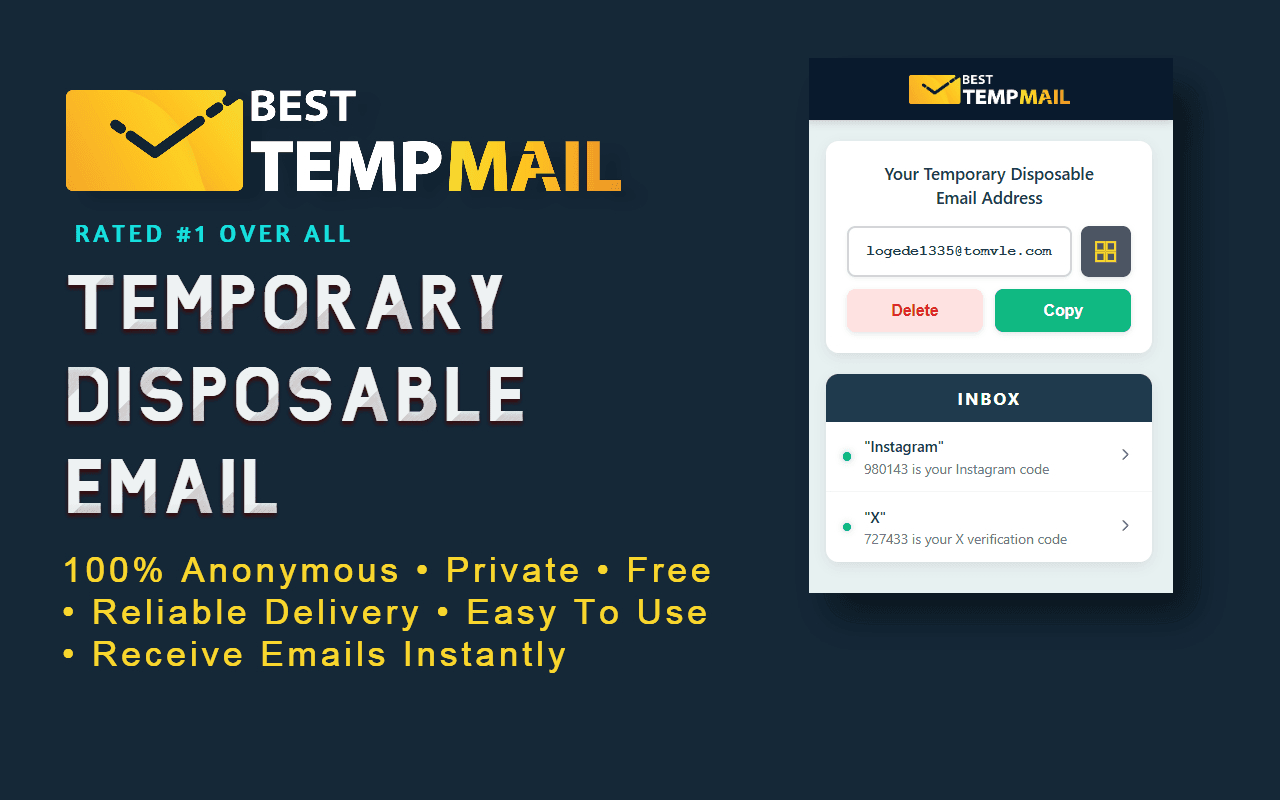
Best Temp Mail Browser Extension (2026): Instant Disposable Email for Chrome, Edge & Firefox
Temporary email addresses are widely used to sign up for websites, apps, AI tools, newsletters and free trials without exposing a personal inbox. Almost everyone who uses one regularly runs into the same tedious workflow:
- Open a signup form
- Open a new tab
- Load a temp mail website
- Copy the disposable email address
- Switch back to the signup form
- Paste the address
- Switch tabs again
- Refresh the inbox
- Wait for the verification code
- Refresh again
- Copy the OTP
- Switch back one more time
That is a lot of tab switching for something that should take seconds.
A browser extension collapses those twelve steps into two. It puts a disposable inbox in the toolbar, so you generate an address, paste it into the form, and watch the verification code arrive without ever leaving the page.
Plenty of disposable email extensions exist, and most articles about them cover the same three points: install, click, get email. This guide covers the part that actually determines whether an extension is worth installing, which is what happens after you paste the address into a signup form and wait for the code.
That comes down to two things: whether the inbox updates on its own, and whether the sending domain is one the site will accept. Both are explained below, along with where extensions fall short and when the website is the better choice.
Our own extension is available for Chrome, Edge and Firefox, and it is used as the worked example throughout.
Table of Contents
- Why a Browser Extension Changes How You Use Temporary Email
- Extension vs Website: Which Should You Use?
- How to Install and Start Using It
- The Problem With Most Temp Mail Extensions
- Real Time Inbox Updates: Why New Emails Appear Instantly
- Engineered for Verification Email Delivery
- Why Verification Emails Arrive More Reliably
- Available for Chrome, Edge and Firefox
- Real World Use Cases
- Privacy by Design
- How Our Browser Extension Is Different
- What Early Users Say
- Compare Before You Install
- FAQ
- Final Thoughts
Why a Browser Extension Changes How You Use Temporary Email
A temporary email website works fine when you occasionally need a disposable inbox. But the moment temp mail becomes part of your regular workflow, the website model starts to feel slow.
Think about who actually uses disposable email addresses every week:
- Developers and QA testers creating dozens of test accounts to verify signup flows, password resets, and transactional email templates
- AI tool users trying ChatGPT alternatives, image generators, and new AI SaaS products that all demand email verification before you can even see the interface
- Online shoppers grabbing first order discounts, coupon codes, and welcome offers without subscribing their real inbox to a lifetime of marketing
- Students and researchers accessing gated PDFs, whitepapers, and academic tools that hide content behind an email wall
- Privacy conscious users who simply refuse to hand their personal email address to every random website that asks for it
- Freelancers and marketers testing landing pages, email capture forms, and onboarding sequences for clients
For all of these people, the temporary email address is not the goal. It is a small step inside a bigger task. Every second spent switching tabs, refreshing an inbox, or re copying an address is pure friction.
A browser extension collapses that entire workflow into the toolbar:
- Your disposable email address is always one click away
- The address copies to your clipboard instantly
- New emails appear in the extension popup the moment they arrive
- Notifications tell you when a verification email lands, even if the popup is closed
- You never leave the signup page you are working on
That last point matters more than it sounds. Many signup forms time out, reset, or invalidate their verification step if you navigate away for too long. Keeping the inbox inside the toolbar means the signup flow stays intact from start to finish.
This is why a temporary email extension is not just a convenience. For anyone who uses burner email addresses regularly, it is a genuinely faster way to work.
Extension vs Website: Which Should You Use?
Both. They are the same platform with the same real time inbox engine, so the honest answer depends on where you are working.
| Situation | Best choice | |---|---| | Signing up on desktop while browsing | Extension, the inbox is in your toolbar | | Repeated signups, testing, QA work | Extension, no tab switching at all | | On a phone or tablet | Website, extensions are desktop only | | On a shared or public computer | Website, nothing to install | | Need a classic short lived inbox | 10 minute mail on the website |
The website version of Best Temp Mail works in any browser with zero installation and delivers emails with the same real time speed. The extension simply removes the last remaining step: opening the site at all. If you create disposable email addresses more than once or twice a month, the extension pays for its one time installation almost immediately.
How to Install and Start Using It
The basics take less than a minute, so let us get them out of the way quickly.
- Open the store page for your browser: Chrome, Edge, or Firefox
- Click Add to browser and confirm
- Pin the Best Temp Mail icon to your toolbar
- Click the icon and a fresh disposable email address is generated for you automatically
- Click the address to copy it, paste it into any signup form, and watch the verification email appear in the popup
No account. No registration. No personal information. You are ready to receive email the moment the extension is installed.
That is the part every temp mail extension article covers. Now for the part that actually matters: what happens after you paste that address into a signup form, and why the experience with Best Temp Mail is noticeably different.
The Problem With Most Temp Mail Extensions
Here is something most disposable email services never explain to their users.
The majority of temporary email tools, both websites and extensions, check for new mail using a technique where the app repeatedly asks the server the same question over and over: has a new email arrived yet? The server answers no, no, no, until eventually the answer is yes.
Depending on the provider, that question might be asked every five, ten, or fifteen seconds. Some check even less frequently to save server resources.
Now map that onto a real signup:
- You submit a signup form
- The platform sends your verification email within a second or two
- The email reaches the temp mail server almost immediately
- But the extension will not ask the server for updates for another ten seconds
- So you stare at an empty inbox
- You click refresh manually
- Sometimes the refresh itself is cached or delayed
- Finally the OTP appears
The email was sitting on the server the whole time. The delay you experienced was not slow email delivery. It was the checking interval of the tool you were using.
For a one time password with a short expiry window, or a signup form that times out, those wasted seconds are not just annoying. They can cause the verification to fail entirely, forcing you to restart the whole process with a new code.
Multiply that across every account you create in a week and the polling model quietly costs you real time. It also generates a constant stream of unnecessary network requests in the background, which is wasteful for both your browser and the service.
This is the specific problem the Best Temp Mail extension was engineered to eliminate.
Real Time Inbox Updates: Why New Emails Appear Instantly
Instead of repeatedly asking the server whether a new email has arrived, Best Temp Mail keeps a secure live connection open between your browser and our mail infrastructure. When a new message reaches your disposable inbox, the server pushes it to the extension immediately.
In practice, that means:
- Verification emails appear in the extension the moment they hit the server
- OTP codes are visible while the signup page is still loading its confirmation screen
- You never click refresh, because there is nothing to refresh
- Desktop notifications fire in real time, so you can keep working in another window and still catch the code the second it lands
- Fewer background requests are made overall, which makes the extension lighter, not heavier, despite being faster
If you are a developer, you already recognize what is happening under the hood. For everyone else, the takeaway is simpler: the delay between an email arriving on the server and appearing on your screen is measured in milliseconds instead of refresh cycles.
This is the single biggest reason users describe the extension as feeling instant. It is not a marketing adjective. It is an architectural decision. Many temporary email services still rely solely on periodic polling, and once you have used a live, push based inbox during a time sensitive signup, going back to refresh and wait feels broken.
The same real time engine powers the Best-TempMail website itself, so whether you use the extension, the site, or our 10 minute mail inbox, new messages arrive with the same immediacy.
Engineered for Verification Email Delivery
Speed inside the browser only matters if the email actually arrives in the first place. And this is where most disposable email services genuinely fall short.
If you have ever used a burner email address and watched a verification email simply never show up, the cause was almost never the platform you signed up for. It was the temp mail provider's infrastructure. Sending platforms evaluate the receiving domain and mail server before deciding whether to deliver, delay, or silently drop a message. Weak infrastructure gets filtered out long before an email ever reaches an inbox.
Best Temp Mail approaches this as an engineering problem, not a marketing one. The platform behind the extension is built around several deliverability principles:
Proper email authentication
Modern email standards let receiving and sending systems verify that a domain is configured honestly and consistently. Domains that skip this configuration look suspicious to automated filters. Every domain used by Best Temp Mail is set up with modern email authentication so that verification emails, account activation links, and one time passwords are far more likely to be accepted and delivered.
Dedicated mail infrastructure
Many disposable email services run on shared, low cost mail infrastructure that also handles traffic for countless unrelated services. When any of those neighbors misbehave, everyone on the shared system inherits the damaged reputation. Best Temp Mail runs on dedicated infrastructure that we control end to end, which means our delivery reputation is ours alone to protect, and we protect it aggressively.
Clean DNS and active domain management
Temp mail domains are constantly being tested against blocklists by the platforms people sign up for. A provider that registers domains and then forgets about them will slowly stop receiving verification emails without ever noticing. We actively monitor domain health and reputation and manage our domain pool so that the addresses you generate keep working with the signup flows that matter.
Low latency delivery path
From the moment a sending platform releases a verification email to the moment it appears in your extension popup, every hop in between is optimized for speed. Combined with the real time inbox connection described above, the result is an end to end delivery path designed for the exact use case temp mail exists for: receiving a time sensitive code and using it before it expires.
None of this is visible in a screenshot, which is exactly why most temp mail extension articles never mention it. But it is the difference between a disposable email address that reliably receives OTP codes from the sites you sign up to and one that works on some platforms and silently fails on others.
If you want a deeper look at why verification emails sometimes fail to arrive on disposable inboxes, we cover the topic in detail in our guide on fixing temp mail OTP problems.
Why Verification Emails Arrive More Reliably
All of that engineering exists for one measurable outcome: when a platform sends a verification email to your disposable address, it arrives, and it arrives fast. In practical terms, the platform behind the extension is built for:
- High delivery success for OTPs and activation emails. The entire domain and infrastructure strategy is optimized around the single most important email a temp mail user will ever receive: the verification message that unlocks the account.
- Active monitoring of reputation. Deliverability is not a set and forget property. Reputation is watched continuously so that problems are corrected before they cost users their verification emails.
- Modern email authentication standards. Every domain in use is configured to current authentication standards, which is what sending platforms check before deciding whether to trust a receiving domain.
- Continuous maintenance of the domain pool. Domains are actively managed and refreshed so the addresses you generate today keep working with the signup flows people actually use.
You do not need to understand any of this to benefit from it. You just paste the address, submit the form, and the code shows up. But when you notice that a verification email arrived on Best Temp Mail after failing to arrive on another disposable email service, this section is the reason.
Available for Chrome, Edge and Firefox
The Best Temp Mail extension is published on all three major desktop extension stores, with the same core experience on each: instant disposable email, real time inbox updates, one click copy, and desktop notifications.
Each listing has passed the review process of its store, which means the extension has been checked by Google, Microsoft and Mozilla respectively before being made available. You are installing from official, reviewed store listings, not from a downloaded file.
Chrome Temp Mail Extension
Chrome remains the most widely used browser in the world, and the Chrome temp mail extension is the most popular way people use Best Temp Mail outside the website itself. It integrates cleanly into the Chrome toolbar, generates a temporary email address the moment you open the popup, and pushes new emails to you in real time. The extension is built on Manifest V3, the current Chrome extension platform, so it meets Google's latest security and performance requirements.
Get Best Temp Mail on the Chrome Web Store
Because Chrome extensions also run on most Chromium based browsers, users of Brave, Vivaldi, and similar browsers can typically install the Chrome version directly from the same store listing.
Microsoft Edge Temp Mail Extension
Edge users get a fully native listing on Microsoft's own add ons store, reviewed and published through Microsoft's process. Dedicated Edge listings are still relatively rare among temporary email extensions, so if you use Edge as your daily browser, this is one of the few disposable email extensions built and published for it natively. The Edge temp mail extension offers the same instant inbox, notifications, and one click copy workflow, integrated into the Edge toolbar.
Get Best Temp Mail on Microsoft Edge Add-ons
Firefox Temporary Email Extension
Firefox users tend to be among the most privacy conscious people on the web, which makes a no registration disposable email extension a natural fit. The Firefox temporary email add on is published on Mozilla's official add ons platform, where it went through Mozilla's review process, and delivers the same real time temp mail experience.
Get Best Temp Mail on Firefox Add-ons
Support for additional browsers is on our roadmap, and because the extension is backed by the platform rather than browser specific tricks, expanding to new stores does not fragment the experience. Wherever you install it, the inbox behaves the same way.
Real World Use Cases
A temporary email extension sounds like a niche tool until you notice how many everyday situations it fits. Here are the scenarios where users reach for the Best Temp Mail extension most often.
Signing up for AI tools
AI platforms are the fastest growing category of temp mail usage in 2026. ChatGPT alternatives, AI image generators, coding assistants, and AI SaaS products almost universally require email verification before you can try anything. The extension lets you generate a disposable address, complete the verification, and evaluate the tool without adding your real inbox to yet another AI mailing list. We wrote a full guide on this in Best Temp Mail for ChatGPT and AI Tools in 2026.
Discord, Reddit and community platforms
Creating alternate or throwaway accounts for communities is one of the oldest temp mail use cases. The extension makes it painless: generate an address, verify, and you are in, all without leaving the signup tab.
GitHub, developer tools and testing
Developers use disposable inboxes constantly: verifying test accounts, checking how transactional emails render, confirming password reset flows, and testing signup logic. Because the extension delivers messages in real time, automated and manual test loops run noticeably faster than with polling based inboxes. QA testers running through a signup flow twenty times a day feel the difference immediately.
Newsletters, gated content and downloads
Whitepapers, ebooks, industry reports, and gated blog posts all want an email address before showing you the content. A burner email address from the toolbar gets you the download without the follow up drip campaign landing in your personal inbox.
Shopping, coupons and free trials
First order discounts, welcome coupons, and free trial signups are engineered to capture your email for long term marketing. A disposable email address collects the discount code and leaves the marketing behind. The extension keeps this workflow to a few seconds, which matters when you are mid checkout.
Students and researchers
Academic tools, citation managers, survey platforms, and university adjacent services frequently require an email signup for one time access. A temporary inbox handles the verification without cluttering a student email account that already receives too much.
Anyone protecting a personal inbox
The simplest use case of all. Your real email address is a long term identifier that links your activity across the web. Every service you withhold it from is one less database it can leak from. The extension makes withholding it the path of least resistance.
Privacy by Design
Temporary email is fundamentally a privacy tool, so the extension is built to respect that at every level:
- No registration. There is no account to create, ever. Install and use.
- No personal information. The extension never asks for your name, your real email address, a phone number, or anything else that identifies you.
- Disposable by default. Inboxes are temporary. When you are done, the address and its contents disappear rather than accumulating into a profile.
- Your real inbox stays out of it. Every signup handled through a disposable address is one more service that cannot spam you, profile you, or leak your primary email in its next data breach.
The extension asks only for the browser permissions it needs to show your inbox and fire notifications. It does not track your browsing, inject content into pages, or monetize your attention. It exists to hand you a working disposable inbox as fast as possible, and that is the whole job.
How Our Browser Extension Is Different
Here is the entire article in one table. Notice that every row is an outcome you experience, not a feature checkbox.
| Feature | What it means for you | |---|---| | Real time inbox updates | OTP codes and verification emails appear instantly, no refreshing | | Deliverability focused infrastructure | Verification emails actually arrive, across thousands of popular signup flows | | Desktop notifications | Keep working in another window and never miss a code | | One click email copy | Paste a fresh disposable address into any form in under a second | | No registration required | Start using it the moment it is installed | | Privacy focused design | Your real inbox and identity stay out of every signup | | Chrome, Edge and Firefox support | The same fast experience on every major desktop browser | | Backed by the full Best-TempMail platform | The extension, the website and the 10 minute mail inbox all share the same engine |
Most disposable email extensions compete on the left column. We built ours around the right one.
And here is how that translates when you put Best Temp Mail side by side with a typical temporary email extension:
| Feature | Best Temp Mail | Typical Temp Mail Extension | |---|---|---| | Real time inbox updates | ✅ Live connection | Often polling on a timer | | OTP and verification delivery focus | ✅ Core engineering priority | Varies widely | | Email authentication on domains | ✅ All domains | Unknown | | Active domain and reputation management | ✅ Continuous | Rare | | No signup required | ✅ | Usually | | Instant desktop notifications | ✅ | Not always | | Chrome support | ✅ Official store | Common | | Edge support | ✅ Official store | Rare | | Firefox support | ✅ Official store | Sometimes | | Backed by a full temp mail platform | ✅ Website, 10 minute mail, tools | Often extension only |
For a deeper provider level comparison, including services beyond extensions, see our full temp mail comparison page.
What Early Users Say
The extensions are new to their stores, but the early signal is exactly what we hoped for.
★★★★★ Early ratings across the Chrome Web Store, Microsoft Edge Add-ons and Firefox Add-ons currently stand at five stars.
Users who have installed Best Temp Mail have rated it five stars, and the feedback consistently highlights the same three things:
- how quickly verification emails appear after signing up
- how easy it is to create a disposable inbox without leaving the current page
- how the whole thing works instantly with no registration
We do not publish fake testimonials and we do not need to. The extension's core promise, that new emails appear the moment they arrive, is something every user can verify within thirty seconds of installing it. Try a signup and watch the popup.
Compare Before You Install
Healthy skepticism is fair. There are many temporary email providers, and most of them describe themselves in nearly identical language.
That is exactly why we maintain a detailed, factual comparison of Best Temp Mail against other popular temporary email services, covering delivery speed, infrastructure, features, and reliability.
Compare Best Temp Mail with other temp mail providers
If the comparison convinces you, the extension is one click away. If it does not, you have still learned what actually separates disposable email providers, which will make you a smarter user of whichever one you choose.
FAQ
Is the Best Temp Mail browser extension free?
Yes. The extension is completely free on Chrome, Edge and Firefox, with no premium tier required to receive emails, get notifications, or use real time inbox updates.
Do I need to create an account to use it?
No. The extension requires no registration and no personal information. A disposable email address is generated automatically the first time you open it.
How fast do verification emails arrive?
New messages are pushed to the extension the moment they reach our servers, so OTP codes and verification emails typically appear within seconds of the sending platform releasing them. There is no refresh interval to wait for.
Why is this faster than other temp mail extensions?
Many temporary email tools check for new mail on a timer, asking the server every few seconds whether anything has arrived. Best Temp Mail keeps a live connection open instead, so the server pushes new emails to your browser instantly rather than waiting for the next check.
Does it receive OTP and verification codes?
Yes. Receiving one time passwords, verification links, and account activation emails is the primary use case the entire platform is engineered around, from domain reputation to email authentication to real time delivery.
Which browsers are supported?
Chrome, Microsoft Edge and Firefox, each through their official extension stores. Most Chromium based browsers, such as Brave and Vivaldi, can install the Chrome version.
Does it work on mobile?
The extension targets desktop browsers, where extension support is standard. On mobile, the Best-TempMail website provides the same real time disposable inbox in any mobile browser.
Can I copy the email address with one click?
Yes. Clicking your disposable address in the popup copies it to your clipboard immediately, ready to paste into any signup form.
Will I get a notification when an email arrives?
Yes. The extension fires a desktop notification the moment a new message lands, so you can keep working in another tab or window and still catch verification codes instantly.
Is the extension safe?
Yes. It is published through the official review processes of the Chrome Web Store, Microsoft Edge Add-ons and Mozilla Add-ons. It requests only the permissions needed to show your inbox and notifications, collects no personal information, and does not track your browsing.
How long does a disposable email address last?
Long enough to complete signups and receive verification emails comfortably. For the classic short lived workflow, the 10 minute mail inbox is also available on the website.
Can I generate a new address?
Yes. You can discard your current disposable address and generate a fresh one at any time from the extension popup.
Does it work with AI tool signups like ChatGPT?
Temp mail compatibility with AI platforms depends heavily on the provider's infrastructure quality. Best Temp Mail invests specifically in deliverability and domain reputation for this reason. Our full guide on temp mail for ChatGPT and AI tools covers the details.
Why do verification emails fail to arrive on some temp mail services?
Usually because the provider's domains are blocklisted, poorly authenticated, or hosted on shared low reputation infrastructure. The sending platform filters the email before it ever reaches the inbox. Our guide on fixing temp mail OTP problems explains this in depth.
Is temporary email legal?
Yes. Using a disposable email address to protect your privacy is legal in general use. Individual websites may have their own terms about account creation, so use good judgment for accounts that matter.
What is the difference between temp mail, disposable email and burner email?
They are largely interchangeable terms for the same idea: a short lived email address that receives mail without being tied to your identity. We break down the nuances in Disposable Email vs Burner Email vs Temp Mail.
Does the extension slow down my browser?
No. Because it maintains one efficient live connection instead of firing repeated background requests on a timer, it is lighter than many polling based extensions while also being faster.
Can developers use it for testing signup flows?
Absolutely. Real time email delivery makes it particularly well suited to QA and development work, where waiting on inbox refresh intervals slows down every test cycle.
How is Best Temp Mail different from other providers overall?
The short version: infrastructure. Real time delivery, authenticated domains, dedicated mail servers, and active reputation management. The long version is on our comparison page.
Should You Install One?
An extension is worth it if you create accounts regularly, test signup flows, or use AI tools that require email verification. It removes a step from every signup you do from then on.
It is not worth it if you need a disposable address once or twice a year. A website does the same job with nothing to install, and one fewer extension with page access is the more sensible privacy trade.
Whichever extension you choose, the two things that matter are whether the inbox updates by itself and whether the sending domain is accepted by the sites you sign up to. Everything else on a feature list is secondary.
Ours is available for Chrome, Edge and Firefox, or you can use the website with nothing installed.
Keep Reading
- Best Temp Mail for ChatGPT and AI Tools in 2026
- Best Temp Mail for Gmail Verification in 2026
- Temp Mail Not Receiving OTP? Fix It Fast
- How Temporary Email Protects Your Privacy Online
- Disposable Email vs Burner Email vs Temp Mail
- How to Avoid Spam Email Using Temporary Email
Your temp mail is ready right now
No signup, no password. A disposable inbox waiting the moment you open the page.
Get My Free Temp Mail →