

Email Aliases vs Disposable Inboxes: Picking Your Privacy Layer
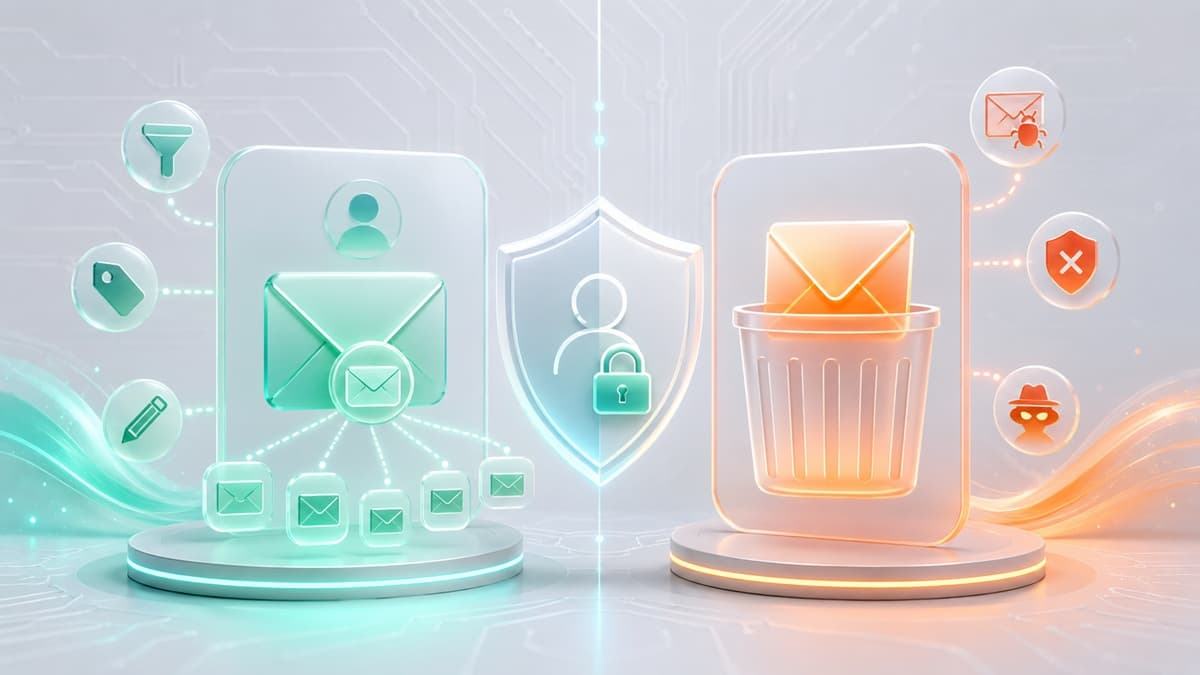
Choosing between an email alias vs disposable inbox comes down to message persistence and infrastructure isolation: an email alias acts as a permanent forwarding mask that routes messages directly to your real inbox, while a disposable inbox functions as an isolated, temporary web container that vanishes when its session ends.
Deploying the wrong tool introduces long-term friction. Register for a critical account using a disposable inbox, and you will lose access the moment a security check or password reset triggers after the session expires. Sign up for a low-trust marketing page using an email alias, and junk mail will continue hitting your personal inbox until you manually log into a dashboard to revoke the route. For a broader comparison of temporary address models, read our analysis of disposable email vs burner email vs temp mail.
The Core Distinction: Forwarding Architecture vs. Standalone Isolation
Understanding how incoming messages navigate the mail delivery pipeline clarifies when to use forwarding masks versus isolated destinations.
EMAIL ALIAS PIPELINE:
Sender -> Alias MX Server -> Header Sanitization -> Primary Destination Inbox

DISPOSABLE INBOX PIPELINE:
Sender -> Ephemeral MX Server -> Web Application Storage (Purged on Expiration)
How Email Aliases Work
An email alias is a virtual routing entry sitting on top of your existing primary mail account. When an external service transmits a message to your alias:
- The alias server intercepts incoming Simple Mail Transfer Protocol (SMTP) traffic targeted at the virtual handle.
- The server strips sensitive routing headers to shield origin metadata.
- The system initiates an outbound SMTP transaction to forward the scrubbed message directly into your primary destination mailbox.
Because an alias is an active pipe, you read, organize, and reply to messages inside your everyday email client. Outbound replies route back through a reverse-aliasing proxy, preserving primary identity masking. The link between the alias and your personal inbox remains active indefinitely until you explicitly disable or delete the routing rule within your provider’s management console.
How Disposable Inboxes Work
A disposable email platform operates as an isolated, standalone destination server. Instead of passing traffic across external networks to a secondary inbox, it provisions a short-lived storage volume bound to an ephemeral address for a defined operational window.
The mail handling lifecycle follows a strictly contained path:
- The sending Mail Transfer Agent (MTA) queries the domain’s MX records and delivers the payload directly to the temporary mail server.
- The server writes the incoming message directly into ephemeral memory or a short-term web session store.
- The client renders incoming messages inside a standalone web interface, browser extension, or API stream.
No technical connection to your underlying personal inbox, device identity, or credentials ever exists. Once the mailbox timer expires or you manually discard the session, the platform permanently purges the stored messages. Subsequent inbound connection attempts to that address drop at the network perimeter.
Technical Trade-Offs: Aliases vs. Disposable Inboxes
Evaluating key operational parameters prevents registration errors, inbox pollution, and delivery failures.
1. Account Persistence and Recovery Lifecycles
Long-lived accounts require persistent inbound channels. Web platforms routinely trigger automated re-authentication requests, mandatory security notices, and password resets months or years after initial registration. Email aliases maintain open routing paths to handle these delayed security triggers seamlessly. Ephemeral inboxes terminate their storage states upon session expiry, rendering future account recovery impossible.
2. Inbox Blast Radius and Spam Mitigation
When a service leaks its subscriber list, addresses associated with that database become target vectors for automated spam campaigns. An email alias shields your true destination address, but incoming messages will pass directly into your primary inbox until you manually navigate to your alias dashboard and toggle off the forwarding route. Disposable inboxes restrict the blast radius entirely: junk mail accumulates within an isolated browser session that disappears without hitting your personal hardware or primary email client.
3. Provisioning Friction and Configuration Overhead
Generating a functional email alias requires setting up an account, configuring custom forwarding rules, or running browser extension shortcuts. A 10 minute mail inbox requires zero configuration, zero credentials, and zero account creation. You open an address, extract a One-Time Password (OTP) or account verification link, and abandon the session without leaving a persistent digital footprint.
4. Deliverability Metrics and Edge Rejection
Form validation engines regularly cross-reference registration addresses against public blocklists to filter out short-lived domains. High-grade temporary providers configure SPF, DKIM, and DMARC records to optimize inbox placement, as outlined in our analysis on why disposable email domains get blocked. Nevertheless, enterprise financial platforms, cloud infrastructure providers, and primary payment processing networks aggressively block known temporary MX pools during account creation.
Evaluating Available Privacy Implementations
Privacy architectures vary significantly across operating environments, integration depths, and operational constraints.
Native OS Masking (e.g., Apple iCloud+ Hide My Email)
Type: Operating system-level forwarding alias
Access Point: Native OS settings and integrated browser form fields
Prerequisites: Paid OS ecosystem subscription
Ideal Usage: Signups across desktop and mobile native operating environments
Native OS implementations integrate dynamic email masking directly into system input fields. When an application or website requests an address, the operating system generates a randomized routing handle that forwards messages to your primary account. Management remains locked to platform settings, and functionality depends on an active subscription tier.
Dedicated Alias Platforms (SimpleLogin, Addy.io, Firefox Relay)
Type: Provider-agnostic forwarding alias services
Access Point: Web management dashboard and extension utilities
Prerequisites: User registration on the alias platform
Ideal Usage: Cross-platform identity management, custom domain routing, and outbound reverse-aliasing
Dedicated alias platforms allow users to point masked addresses to any destination inbox regardless of host provider. Advanced features include PGP payload encryption before forwarding, custom domain hosting, catch-all rules, and reverse-aliasing for outbound communications. Managing these handles requires maintaining an active account on the alias system.
Web-Based Ephemeral Inboxes
Type: Standalone temporary mail containers
Access Point: Web browser session
Prerequisites: None
Ideal Usage: Gated document downloads, single-time asset access, and low-trust forum registrations
Web-based temporary mailboxes provision active addresses instantly upon page load. Lifespans range from fixed 10-minute counters to multi-hour active sessions. Incoming messages stream directly to the web client, bypassing manual mail client setups. They provide complete containment because no billing details or primary identity metrics bind to the session.
Developer and API-Driven Ephemeral Mail
Type: Programmatic temporary mail endpoints
Access Point: REST API endpoints and SDK connections
Prerequisites: API access keys or direct HTTP integration scripts
Ideal Usage: Automated QA onboarding tests, CI/CD pipeline verification, and synthetic integration tests
Creating manual aliases introduces blocking friction into automated software testing. Developer-focused temporary mail APIs allow test suites to request ephemeral addresses programmatically, capture incoming JSON payloads, extract activation tokens via regular expressions, and validate user sign-up flows in CI/CD without polluting production databases or shared developer inboxes.
Scenario Mapping: Choosing the Correct Privacy Layer
Use this concise selection guide to match your task with the appropriate privacy layer:
Deploy an Email Alias For:
- E-Commerce and Shipping: Merchants requiring ongoing order confirmations, tracking alerts, and return processing over extended periods.
- Core Software and SaaS Subscriptions: Long-term software platforms, developer portals, and recurring services requiring persistent access.
- Two-Way Support Communications: Interactions requiring customer support replies without revealing your primary personal email handle.
- Categorized Content Subscriptions: Grouping recurring newsletters into revokable channels that can be disabled individually if distributed to third parties.
Deploy a Disposable Inbox For:
- Single-Asset Access Gates: Bypassing email walls to access whitepapers, vendor documentation, or downloadable utility scripts.
- Automated QA Pipeline Runs: Executing automated integration tests requiring isolated, clean mailboxes for every test execution.
- One-Time Identity Activation: Acquiring a single verification token or activation link for a service you will never visit again.
- Unverified Vendor Testing: Interacting with untested platforms or suspect marketing pages without exposing personal infrastructure to incoming spam.
- Zero-Trace Registration: Generating immediate inbound inbox capabilities without creating user profiles or storing operational metadata.
Technical Limitations and Risk Vectors
Neither forwarding aliases nor disposable inboxes offer universal protection. Understanding their limits prevents security gaps and data loss.
Limitations of Email Aliases
- Forwarding Inbox Saturation: Because aliases automatically pass incoming traffic to your destination inbox, a leaked alias will stream unwanted messages directly into your primary workspace until you log into your provider management dashboard and revoke the forwarding rule.
- Single Point of Dashboard Control: If you lose access to your primary alias management platform or password manager, you lose administrative control over every masked address tied to that account.
- Non-Email Fingerprinting Vectors: An alias masks address headers, but it does not conceal client IP addresses, browser fingerprinting data, location metadata, or payment card details during site interactions.
Limitations of Disposable Inboxes
- Irreversible Account Recovery Failures: If a platform demands unexpected multi-factor re-authentication or triggers a security review after session termination, an expired temporary address makes account recovery impossible.
- Automated Blocklist Identification: Security vendors continuously monitor registration records against active temporary domain pools. For an in-depth review of inspection techniques, read our guide on how websites detect temporary email addresses.
- Public Accessibility Risks: Unprotected public temporary inboxes expose incoming content to anyone who requests the same public handle. Never send personal identifiers, unhashed authentication tokens, or sensitive credentials to a public temporary mailbox.
Recommended Tool Stack for Privacy Management
Combining permanent forwarding aliases with short-term ephemeral inboxes forms a comprehensive operational privacy strategy.
For Long-Term Forwarding Masking
For users operating within the Apple ecosystem, Apple iCloud+ Hide My Email provides seamless system-level integration across native form fields. For cross-platform support spanning Windows, Linux, Android, and web environments, SimpleLogin and Addy.io offer flexible open-source solutions featuring custom domain configuration, custom reverse-aliasing, and fine-grained forwarding management.
For Immediate Ephemeral Isolation
When you require an address instantly without navigating account registrations or forwarding rules, Best-TempMail provides fast, zero-friction temporary inboxes. The platform updates its underlying domain pools continuously to maintain high deliverability across modern web forms.
For automated software testing, quality assurance pipelines, and CI/CD integration suites, developers can connect directly to the service using the endpoint at https://api.best-tempmail.com/v1. This programmatic interface allows test runners to provision fresh endpoints, parse incoming JSON email structures, and execute verification steps cleanly without shared team credentials. You can also explore specialized utilities across our complete suite of email tools.
Frequently Asked Questions
What is the technical difference between email forwarding and an email alias?
Email forwarding is the transport process of accepting a message at one destination and re-transmitting it across SMTP servers to a secondary address. An email alias is a virtual identity mapping that uses forwarding infrastructure behind the scenes, enabling you to send and receive messages using a proxy handle without revealing your real primary address.
Can I use a disposable email address for sensitive accounts like online banking?
No. Financial institutions, payment gateways, and cloud infrastructure hosts maintain strict fraud prevention controls that actively block temporary domains during sign-up. Because disposable mailboxes expire quickly, you will be unable to receive future multi-factor authentication codes, transaction confirmations, or account recovery links, resulting in permanent lockout.
Will an email alias completely eliminate incoming spam?
No. An email alias identifies which vendor leaked or distributed your contact details, but junk mail will continue passing through to your main inbox until you open your alias platform dashboard and manually disable or delete that specific forwarding rule.
What happens to incoming mail after a temporary inbox session expires?
When a temporary inbox session expires, the mail server permanently purges all stored messages, logs, and session tokens from active memory. Subsequent inbound messages routed to that expired address are dropped at the server boundary and cannot be retrieved by any user or administrator.
When should software development teams prefer disposable APIs over static email aliases?
Development and QA teams should use programmatic temporary inboxes when executing automated signup tests, password reset triggers, and account verification scripts inside CI/CD pipelines. Using static email aliases leads to primary inbox clutter, race conditions between parallel integration tests, and false pipeline failures caused by rate limits. Programmatic temporary inboxes allow every test worker to provision an isolated, clean endpoint on demand. To configure these pipeline environments efficiently, read our complete guide on the best temporary email tools for developers and QA teams.
Your temp mail is ready right now
No signup, no password. A disposable inbox waiting the moment you open the page.
Get My Free Temp Mail →