

Parsing OTP Codes From Email: Why Regex Alone Fails
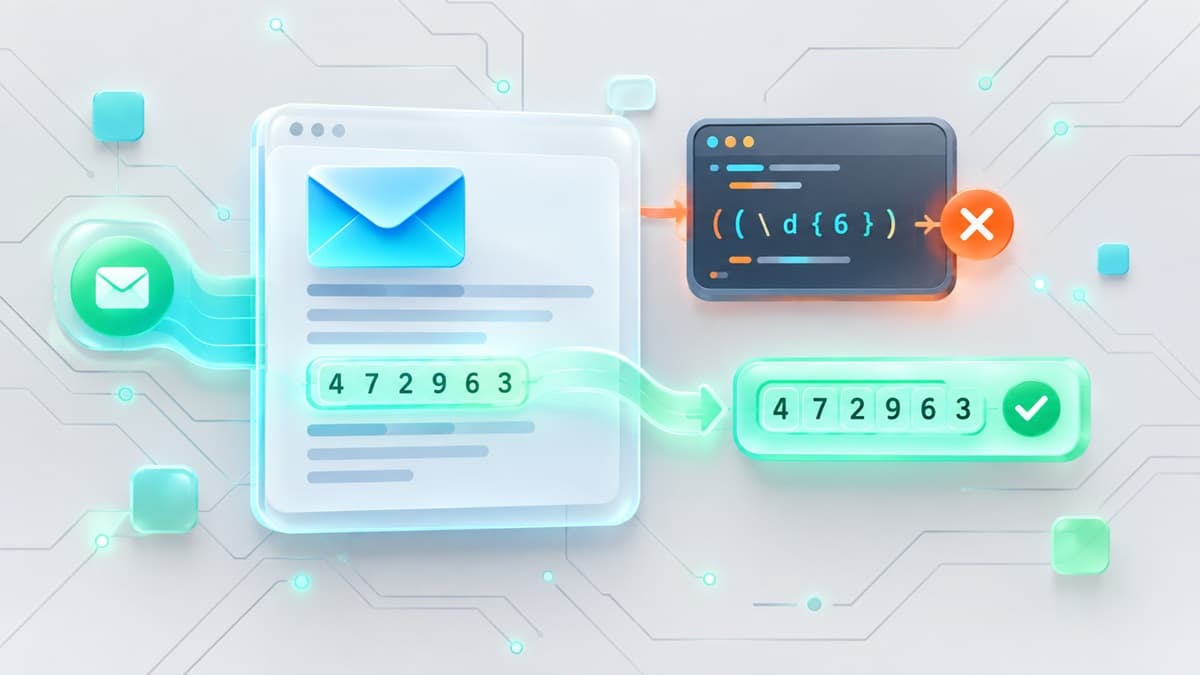
Parsing a one-time password (OTP) from an automated email sounds simple: trigger the email, fetch the body, and extract a six-digit string. In production, however, raw regex patterns like /\b\d{6}\b/ fail constantly. Modern transactional emails are littered with competing numbers—order numbers, support phone numbers, zip codes, timestamps, and tracking identifiers. When a naive regular expression runs across an incoming message payload, it frequently captures the wrong numeric token, causing intermittent CI/CD pipeline failures.
To parse OTP codes from email reliably, test automation engineers must move beyond naive string matching. Reliable extraction requires combining structural DOM analysis, keyword proximity scoring, and MIME payload normalization—or delegating token extraction to specialized email testing infrastructure.
Why Naive Regex Fails in Production
A basic pattern match assumes the authentication code is the only sequence of digits in an email body. In reality, a standard authentication message contains multiple competing numeric tokens.
Consider this standard transactional payload:
Subject: Your Passcode for Portal Verification

Welcome back! Use the following code to complete your login:

    849204

This code expires in 10 minutes.

Need assistance? Call support at (800) 555-0199 or reference Ticket #940281.
Copyright 2026 Enterprise Corp Inc., 100 Corporate Way, Suite 400, San Jose, CA 95110
Running /\b\d{6}\b/ across this text yields three potential matches: 849204 (the actual passcode), 940281 (a support ticket ID), and 95110 (a five-digit ZIP code if matched by broader boundaries). Because regular expression engines return the first match by default, subtle layout changes in email templates instantly break automated test suites.
Beyond candidate collision, three email transport and rendering mechanics break simple string matching:
- Quoted-Printable Encoding: Mail Transfer Agents (MTAs) reformat long lines by inserting soft breaks (
=\r\n) or space escapes (=20). A contiguous code like849204can arrive in raw storage as849=\r\n204, completely invalidating naive regex patterns. - Invisible HTML Markup: Email template builders frequently inject inline styles or empty markup for visual alignment, such as
8<span></span>4<span></span>9204or8 4 9 2 0 4. When evaluated without stripping HTML tags or parsing the DOM, string matching fails entirely. - Format Volatility: Authentication standards change. Applications shift between 4-digit PINs, 6-digit pure numbers, 8-character alphanumeric strings (
K9X2-P410), and hyphenated groups (849-204). Hardcoded regex strings require constant refactoring whenever security parameters adjust.
For a broader guide on integrating email verification into browser automation suites, see our guide on Cypress email testing.
Contextual Scoring: How to Parse OTP Codes From Email Reliably
Instead of pulling the first matching string in a payload, a robust parsing pipeline processes emails through a multi-stage contextual scoring engine. Candidate tokens are identified, weighted, and filtered based on surrounding structural and textual signals.
Step 1: Decode and Clean the Payload
First, convert quoted-printable or base64 email bodies into raw UTF-8. If parsing an HTML payload, strip inline tags, unescape HTML entities, and collapse consecutive whitespace characters.
Step 2: Extract Candidate Tokens
Scan the normalized text for potential passcode patterns. Capture pure numeric sequences (4 to 8 digits) and mixed alphanumeric strings while excluding recognized date and phone number formats.
Step 3: Calculate Keyword Proximity
Evaluate the relative distance between candidate tokens and anchor phrases like verification code, passcode, login code, OTP, or valid for. Assign high confidence scores to tokens located within 50 characters of these anchors.
Step 4: Apply Exclusion and Penalty Rules
Subtract confidence score points or discard candidates that match explicit negative patterns. Any token directly preceded by symbols like #, Order, Ticket, Tel:, or Suite is immediately disqualified.
Step 5: Leverage DOM Structure
When evaluating HTML content, prioritize tokens encapsulated inside semantic elements like <code>, <pre>, or large-font inline styled <span> containers, as email designers deliberately isolate passcode elements for visibility.
If you are setting up end-to-end integration workflows, review our guide on testing signup flows in CI/CD without shared inboxes.
Working Implementation: Node.js and Python Examples
Managing custom extraction logic inside every test runner introduces unnecessary maintenance overhead. Production QA suites typically query an ephemeral email service to provision test inboxes, receive incoming messages, and extract codes.
The following complete examples illustrate how to provision an inbox programmatically, wait for an authentication email, and parse the resulting passcode in Node.js and Python via our live developer API endpoint (https://api.best-tempmail.com/v1).
Node.js Example (Native Fetch)
const API_BASE = 'https://api.best-tempmail.com/v1';

async function fetchAuthenticationCode() {
  // 1. Provision an ephemeral inbox
  const inboxRes = await fetch(`${API_BASE}/inboxes`, { method: 'POST' });
  if (!inboxRes.ok) throw new Error(`Failed to create inbox: ${inboxRes.statusText}`);
  const inbox = await inboxRes.json();

  console.log(`Test inbox created: ${inbox.email}`);

  // Trigger application signup or password reset using inbox.email here...

  // 2. Wait up to 55 seconds for the message to arrive
  console.log('Awaiting incoming verification email...');
  const waitRes = await fetch(`${API_BASE}/inboxes/${inbox.id}/wait?timeout=55`);
  const waitData = await waitRes.json();

  if (!waitData.message) {
    throw new Error('Timed out waiting for verification email.');
  }

  const message = waitData.message;
  console.log(`Received message: "${message.subject}"`);

  // 3. Extract passcode using contextual matching
  const passcode = extractPasscode(message.text || message.html);
  console.log(`Extracted OTP: ${passcode}`);
  return passcode;
}

function extractPasscode(payload) {
  // Strip HTML elements and normalize whitespace
  const cleanText = payload.replace(/<[^>]*>/g, ' ').replace(/\s+/g, ' ');

  // Priority 1: Search for 4-8 character tokens near intent keywords
  const keywordRegex = /(?:code|passcode|otp|pin|verification)\s*(?:is|:)?\s*([A-Z0-9]{4,8})/i;
  const match = cleanText.match(keywordRegex);
  if (match && match[1]) {
    return match[1];
  }

  // Priority 2: Fallback to isolated 6-digit numbers not tied to IDs or symbols
  const fallbackRegex = /(?<![#\d])\b(\d{6})\b(?![#\d])/;
  const fallbackMatch = cleanText.match(fallbackRegex);
  return fallbackMatch ? fallbackMatch[1] : null;
}

fetchAuthenticationCode().catch(console.error);
Python Example (requests & re)
import re
import requests

API_BASE = "https://api.best-tempmail.com/v1"

def parse_otp_code(raw_content):
    # Normalize whitespace across lines
    normalized = " ".join(raw_content.split())

    # Priority 1: Match alphanumeric tokens within 15 chars of verification keywords
    context_pattern = r"(?:code|passcode|otp|pin|verify)\D{1,15}\b([A-Z0-9]{4,8})\b"
    match = re.search(context_pattern, normalized, re.IGNORECASE)
    if match:
        return match.group(1)

    # Priority 2: Isolated 6-digit fallback
    fallback_pattern = r"(?<!\d)\d{6}(?!\d)"
    candidates = re.findall(fallback_pattern, normalized)
    return candidates[0] if candidates else None

def execute_test():
    # 1. Provision disposable inbox
    res = requests.post(f"{API_BASE}/inboxes")
    res.raise_for_status()
    inbox = res.json()

    inbox_id = inbox["id"]
    email_address = inbox["email"]
    print(f"Target email address: {email_address}")

    # Trigger application sign-up event...

    # 2. Hold request open up to 55 seconds using long polling
    print("Waiting for incoming message...")
    wait_res = requests.get(f"{API_BASE}/inboxes/{inbox_id}/wait?timeout=55")

    if wait_res.status_code == 200:
        data = wait_res.json()
        if data.get("message"):
            msg = data["message"]
            body = msg.get("text") or msg.get("html") or ""
            code = parse_otp_code(body)
            print(f"Successfully extracted code: {code}")
            return code

    print("Error: Email failed to arrive within timeout period.")
    return None

if __name__ == "__main__":
    execute_test()
Practical Constraints: Handling Latency and Polling
Automated test pipelines that depend on email deliverability encounter network and queue latency. Unlike local database updates, email delivery involves remote MTA transfers and filtering queues.
When designing test automation frameworks, incorporate these operational safeguards:
- Prefer Long Polling Over Short Polling: Querying an API every 500 milliseconds wastes rate limits and introduces network overhead. Use long-polling HTTP endpoints (such as
/wait) to hold the connection open cleanly until the message lands in the inbox. - Configure Realistic Timeout Thresholds: Transactional emails typically land within 2 to 10 seconds, but queue spikes can delay delivery. Set your test runner timeout to at least 30 seconds to prevent unnecessary test flakiness. Transport infrastructure delays stem from upstream mail queues and authentication handshakes, as detailed in our guide on disposable email deliverability.
- Explicit Timeout Verification: Ensure your parser explicitly checks for
nullpayloads when a wait endpoint times out. Throw descriptive assertion errors (e.g.,AssertionError: OTP email did not arrive within 30s) so failure logs provide actionable context.
Service Limitations and Anti-Patterns
API-driven email testing streamlines automated verification, but QA teams must respect specific boundaries:
Receive-Only Architecture
Ephemeral testing endpoints are strictly receive-only. They cannot send outbound emails, submit reply messages, or initiate custom SMTP handshakes.
Rate Limits and Allocation Bounds
Unauthenticated API usage via /api is intended for local script development and debugging:
- Maximum 150 HTTP requests per hour
- Maximum 3 inbox allocations per day per IP address
- 2-hour automatic inbox expiration
Continuous integration pipelines running concurrent parallel specs require dedicated plans to raise rate limits, unlock webhooks, and utilize server-side OTP extraction features.
SMS Verification Scenarios
Email parsing APIs handle transactional email delivery exclusively. They cannot capture or parse cellular SMS multi-factor authentication codes.
Evaluating Extraction Strategies
Basic Regex String Matching
- Implementation Complexity: Extremely low (1-2 lines of regular expression code).
- Maintenance Overhead: Extremely high; breaks whenever email copy, HTML formatting, or template structure changes.
- Accuracy: Poor; regularly captures zip codes, phone numbers, order IDs, or timestamps.
DOM Node & Proximity Parsing
- Implementation Complexity: Moderate (requires HTML parser library and custom weighting logic).
- Maintenance Overhead: Low; remains resilient across copy variations if anchor phrases and HTML tags persist.
- Accuracy: High; filters out false matches by scoring surrounding structural context.
Dedicated Parsing Infrastructure
- Implementation Complexity: Minimal (single API request against a dedicated endpoint).
- Maintenance Overhead: None; parsing heuristics and edge cases are maintained by external infrastructure.
- Accuracy: Very high; uses server-side heuristics specifically trained on transactional email templates.
Infrastructure Selection for QA Pipelines
Consumer temporary email tools are built for manually viewing inbox pages, making them unsuitable for automated testing pipelines. Automated test suites require deterministic API responses, explicit timeout handling, and fast delivery guarantees.
Best-TempMail provides specialized testing infrastructure with dedicated long-polling endpoints, rotated domain pools, and real-time email delivery tailored for CI/CD automation pipelines.
Frequently Asked Questions
Why does my regular expression extract a 5-digit zip code instead of the 6-digit OTP?
When an email body contains address blocks (such as San Jose, CA 95110) before the code, an unanchored pattern matches the zip code first. To fix this, anchor your regex pattern to preceding keywords like code: or passcode:, or evaluate tokens using contextual proximity scoring.
How do I handle multi-part MIME emails when extracting codes?
Always parse the plain text MIME part (text/plain) first. Plain text strips HTML tags, CSS blocks, and hidden tracking spans that disrupt regular expressions. If only text/html is available, strip HTML tags and decode HTML entities before applying extraction rules.
How can I test OTP email parsing locally without hitting API rate limits?
You can use the free API endpoint at /api for local script development, which supports up to 150 requests per hour without authentication. For continuous integration suites running parallel test suites, upgrade to a dedicated plan to expand rate limits and inbox creation quotas.
Your temp mail is ready right now
No signup, no password. A disposable inbox waiting the moment you open the page.
Get My Free Temp Mail →