

How to Test Signup Flows in CI/CD Without a Shared Inbox
To reliably test signup flow ci cd pipelines, you must abandon shared team inboxes and static aliases in favor of programmatic, ephemeral email addresses generated on demand. Shared inboxes are the single largest source of flakiness in automated integration suites. They trigger security blocks, introduce race conditions across parallel job runs, and force test runners to parse out-of-order verification codes. Deterministic end-to-end testing requires a strict "one inbox per test execution" pattern: provision an isolated address via API, submit the registration form using browser automation, query a REST endpoint for the inbound message payload, and extract the One-Time Password (OTP) or confirmation link.
Why Shared Inboxes Break Continuous Delivery
Engineering teams frequently start automated email testing by routing verification messages to a single staging account or a catch-all mailbox. While manual QA teams can tolerate this setup, automated test runners quickly corrupt state and introduce non-deterministic failures when running at scale.
1. Parallel Build Collisions
Modern CI platforms like GitHub Actions, GitLab CI, and CircleCI execute test jobs concurrently to minimize pipeline duration. When multiple pull requests or matrix builds trigger user registration tests simultaneously, every runner dispatches messages to the exact same inbox. Test scripts will inevitably cross-read incoming emails, pulling verification tokens intended for parallel builds. This causes false-positive test failures and breaks deployment pipelines without any underlying code defect.
2. Automated Security Blocks and Rate Limits
Commercial mail providers monitor authentication frequency, IP reputational shifts, and message volume. Executing dozens of headless Playwright or Cypress instances against standard email providers triggers CAPTCHA challenges, mandatory multi-factor authentication, or outright IP bans. Commercial webmail providers are built for human interaction, not high-throughput continuous integration pipelines.
3. Persistent State Leakage
If an integration test fails mid-suite, it leaves unread messages inside the shared inbox. Subsequent build runs that query the server without exhaustive cleanup logic may fetch stale tokens generated by earlier runs. This masks regressions by validating current tests against expired credentials, producing passing builds that actually conceal broken authentication logic.
4. Network Polling Latency and Cascade Timeouts
Synchronizing web automation logic with traditional POP3 or IMAP polling introduces severe, unpredictable latency. Browser testing frameworks enforce strict element and network timeouts. Waiting for email propagation across standard mail relays frequently exceeds these execution thresholds, causing entire test suites to fail due to timeout errors before the payload arrives.
Resilient delivery pipelines require every build job to operate inside a self-cleaning, isolated environment created on demand.
The 4-Step Architecture for Automated Email Verification
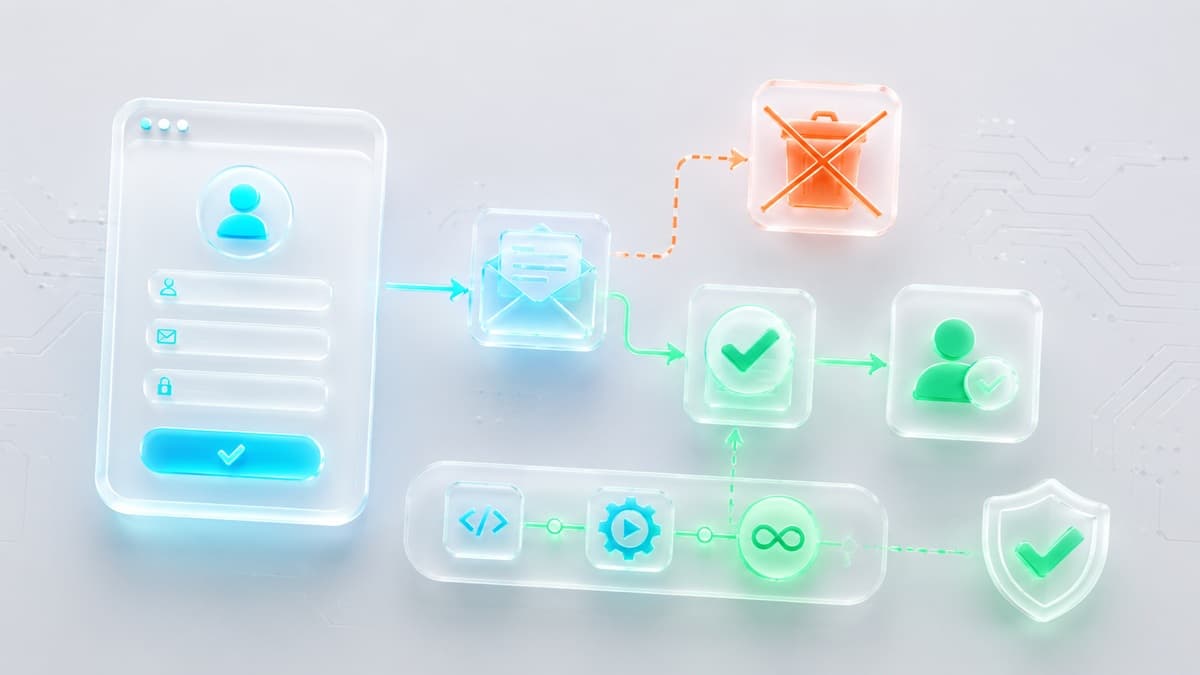
Automating user signup tests requires replacing manual verification steps with an asynchronous, programmatic execution loop. This architecture keeps the test runner in full control of the lifecycle from address creation to account activation.
- Provision an Ephemeral Address: Before initializing the browser context, the test runner issues an HTTP request to an API to claim a unique, temporary email address dedicated solely to that test run.
- Trigger Form Submission: The UI automation script (using Playwright, Cypress, or Selenium) opens the registration page, injects the temporary email address into the input field, and submits the form.
- Poll the Message Endpoint: The runner enters an asynchronous polling loop, querying the API endpoint specifically for inbound messages delivered to the generated address.
- Extract Token and Authenticate: Once the JSON payload returns, the test runner applies regular expressions to extract the verification code or magic URL, then passes it back into the browser context to complete registration.
Evaluating Email Testing Architectures in CI/CD
Selecting the appropriate integration pattern depends on your target environment, pipeline concurrency, and network security boundaries.
Virtual Local Sandboxes
Best Used For: Isolated developer environments and containerized integration testing where outbound mail traffic can be redirected locally.
Setup Requirements: The application must support overriding SMTP host and port configurations via environment variables to route messages to tools like Mailpit.
Network Isolation: Runs entirely inside isolated local networks or Docker containers without requiring external network connectivity.
Limitations: Virtual sandboxes only intercept messages sent within the local container network. They cannot validate how your production application interacts with external transactional mail providers or public DNS routing.
Dedicated Cloud Testing SaaS
Best Used For: Enterprise organizations requiring SOC2 compliance, team management dashboards, and extensive historical audit logging.
Setup Requirements: Installing vendor SDKs, configuring dedicated API keys inside CI repository secrets, and managing enterprise user permissions.
Network Isolation: Operates over standard public cloud infrastructure using custom domain routing.
Limitations: Cloud testing suites often introduce vendor lock-in and high recurring operational costs for teams that only require simple token extraction during build runs.
Programmatic Disposable Email APIs
Best Used For: QA automation suites testing live staging environments, preview deployments, and end-to-end user registration flows.
Setup Requirements: Issuing native HTTP requests using standard libraries like fetch or axios to generate inboxes and retrieve JSON message payloads.
Network Isolation: Communicates securely over HTTPS endpoints without requiring local server deployment or complex infrastructure management.
Limitations: These endpoints are optimized for receiving and parsing inbound tokens and do not support sending outbound messages.
For rapid automation pipelines, the Best-TempMail API provides programmatic address generation and direct JSON parsing. The unauthenticated tier supports quick prototyping, while developer keys provide high-throughput access for large enterprise test suites. Review the complete specifications in the API documentation.
Step-by-Step Implementation with Playwright and Node.js
The following script demonstrates a deterministic user registration test in Node.js using Playwright. It provisions an ephemeral address, submits the signup form, polls the inbox via API, and extracts the verification code.
Step 1: Provision a Dedicated Inbox
Request a fresh inbox address before starting browser navigation. This ensures the backend destination is fully initialized prior to form submission.
import { test, expect } from '@playwright/test';

test('User can register and verify account', async ({ page, request }) => {
  // Provision isolated temporary inbox
  const createInboxResponse = await request.post('https://api.best-tempmail.com/v1/inbox');
  expect(createInboxResponse.ok()).toBeTruthy();

  const { email, id: inboxId } = await createInboxResponse.json();
  const stagingUrl = process.env.STAGING_URL;
  expect(stagingUrl).toBeDefined();
Step 2: Execute Form Submission
Pass the generated address into your frontend application. Generating a fresh address for every run eliminates parallel runner collisions.
  await page.goto(`${stagingUrl}/register`);
  await page.fill('input[name="email"]', email);
  await page.fill('input[name="password"]', 'SecureIntegrationPass2026!');
  await page.click('button[type="submit"]');

  // Confirm frontend displays the code verification input
  await expect(page.locator('input[name="otp_code"]')).toBeVisible();
Step 3: Poll the API and Parse the Token
Implement an asynchronous retry loop to fetch incoming messages. Polling an API endpoint is faster and more reliable than fixed delay timers, proceeding the instant the message arrives.
  let verificationCode = null;
  const maxAttempts = 10;

  for (let i = 0; i < maxAttempts; i++) {
    await page.waitForTimeout(3000); // Poll every 3 seconds

    const res = await request.get(`https://api.best-tempmail.com/v1/inbox/${inboxId}/messages`);
    if (res.ok()) {
      const messages = await res.json();
      if (messages.length > 0) {
        const content = messages[0].text_content || messages[0].html_content;
        const match = content.match(/\b\d{6}\b/); // Extract 6-digit OTP
        if (match) {
          verificationCode = match[0];
          break;
        }
      }
    }
  }
  expect(verificationCode).not.toBeNull();
Step 4: Complete the Flow
Inject the extracted token into the verification input field to finalize account setup. This validates the entire operational loop—from backend event dispatch to final UI verification.
  await page.fill('input[name="otp_code"]', verificationCode);
  await page.click('button#verify');

  // Assert successful authentication and dashboard redirect
  await expect(page.locator('.dashboard')).toBeVisible();
});
To explore further techniques for complex test automation scenarios, read our guide on how to test signup forms with temporary emails.
Operational Boundaries of Disposable Email APIs
Integrating a disposable email API is the fastest method for stabilizing automated test suites, but engineers must design around the following constraints:
- Inbound-Only Architecture: Ephemeral mail APIs are designed exclusively to receive and parse incoming verification messages. They do not support outbound transmission, meaning they cannot automate workflows that require replying directly to an email.
- Payload Optimization: These APIs parse raw message structures to quickly extract plain text and HTML content. They are not engineered to process multi-gigabyte binary attachments or heavy media payloads in automated suites.
- Retention Lifespans: Ephemeral mailboxes have fixed retention periods. They excel at immediate automated verification but cannot support test flows that require checking an inbox hours or days after an event occurs.
If your automated suite experiences missing messages during execution, review our troubleshooting guide on why your temporary mail isn't receiving messages. For a deeper look at delivery authentication, you can check SPF, DKIM, and DMARC for any domain to ensure your sending domain is configured correctly.
Frequently Asked Questions
How do I handle missing verification codes in Playwright tests?
Implement an explicit retry loop combined with a maximum threshold timeout. If the code does not arrive within 30 seconds, capture a page screenshot and dump browser console logs to diagnose whether the failure stems from a frontend submission issue or a delayed transactional mail dispatch. Learn more in our guide on fixing temp mail OTP issues.
Why shouldn't I use Gmail or Outlook for automated CI/CD email tests?
Consumer email providers deploy aggressive automated bot detectors. Running headless browsers against these services triggers CAPTCHAs, SMS challenges, and IP bans. Furthermore, strict API rate limits cause pipelines to fail under parallel build loads.
How do ephemeral environments maintain complete email isolation?
By generating a unique address via API for every individual test function, no two parallel execution runners ever read from the same inbox. This isolates test data completely and eliminates race conditions across concurrent jobs.
Can disposable email APIs be used for load testing signup flows?
No. Disposable email APIs are designed for functional integration verification, not stress testing. Load testing should mock the transactional mail dispatcher at the application boundary to prevent hitting external rate limits.
What is the best way to parse magic links from an email body?
Parse the incoming message payload using regular expressions targeted to your application's specific URL format. Once extracted, pass the URL string directly into page.goto() within your Playwright or Cypress script to complete authentication.
Your temp mail is ready right now
No signup, no password. A disposable inbox waiting the moment you open the page.
Get My Free Temp Mail →